Buttons
Tip
This section only covers how you define action components. You might also find the following resources useful:
- Replying with the Legacy Component System
- Components V2 Guide
- Component Utils
Buttons are defined by annotating a method with @Button.
The first parameter must always be a ComponentEvent.
The label and other metadata of the button is passed to the annotation.
Style
Sets the style of a button.
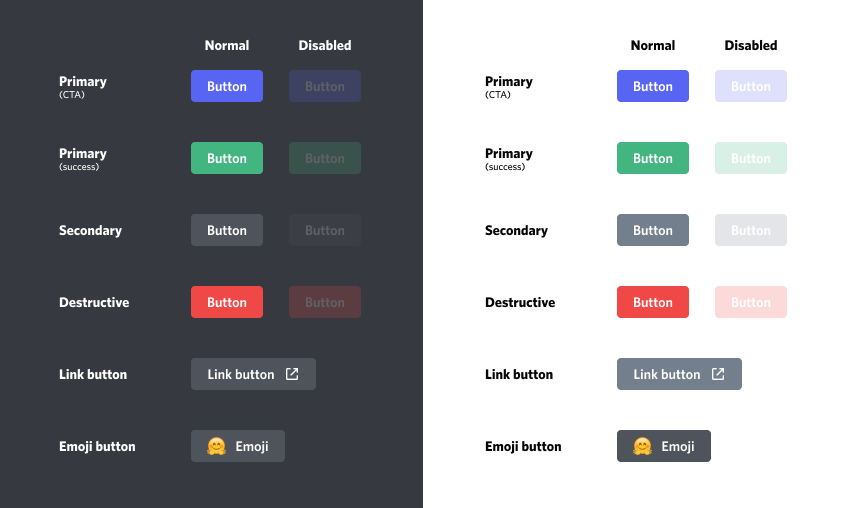
Example
Note
ButtonStyle#PREMIUM is not supported by JDA-Commands.
Emoji
Sets the emoji of a button.
Link
Buttons that have a link cannot be executed, but they are still defined like normal buttons.
Example
Localization and Emojis
To avoid hardcoded values, all string values of an annotation can be replaced by a localization key as supported by the current used Localization System.
Furthermore, it's possible to directly use placeholders. For more information on how to use placeholders please visit this page.
Also take a look at the general message resolution documentation.
Example (with Fluava)
The Dollar Sign ($)
The dollar sign is a reserved character for bundle name separation. In most cases that shouldn't bother you but if you encounter any problems, please read the notes here.
JDA-Commands has built in support for Unicode and application emoji aliases. If you want to use them, just take a look here.